



























Credit: Shutterstock
AirTag 2 is the better tracker, but AirTag 1 can still be a good deal if you find it heavily discounted.
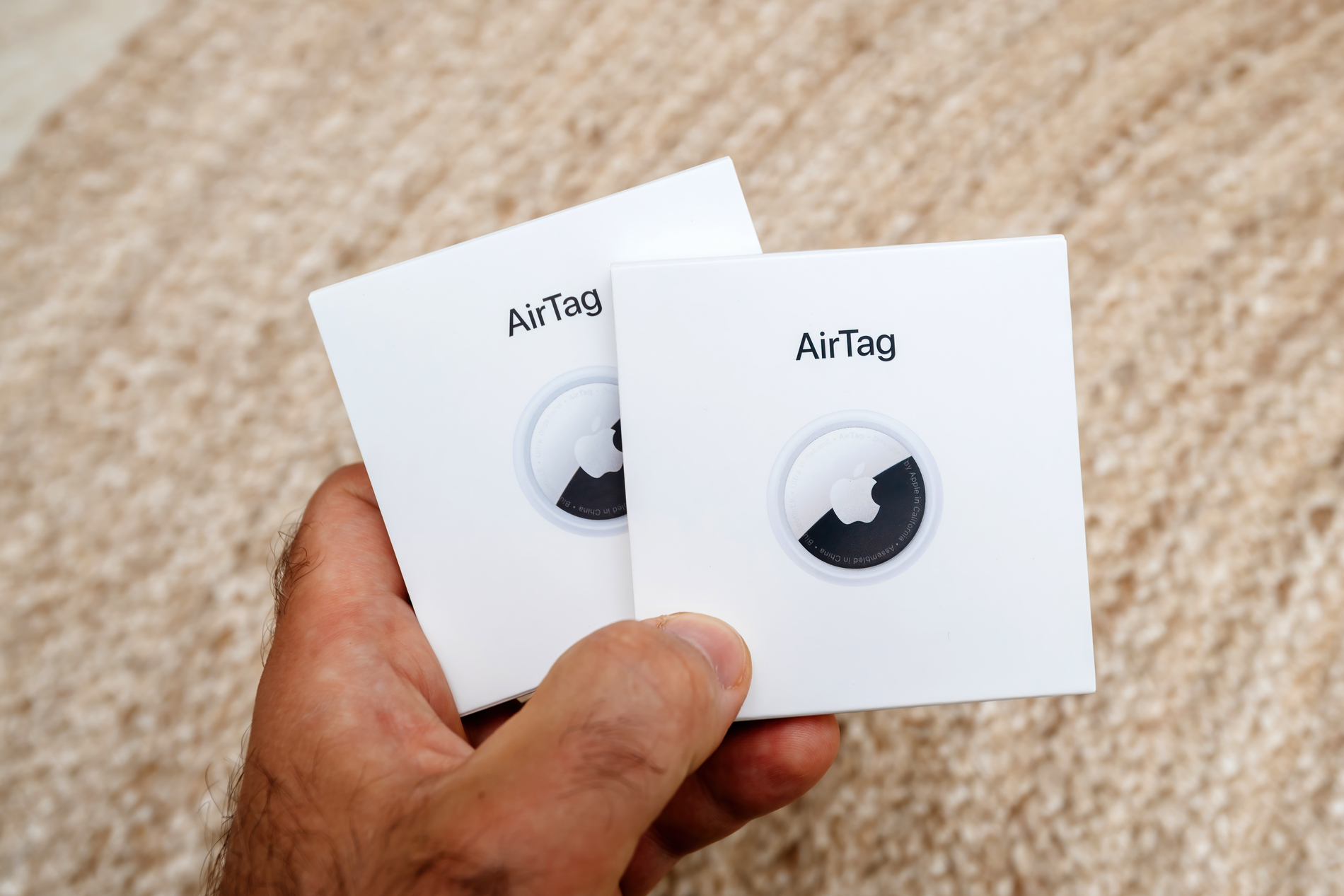
Apple took almost five years to replace the original AirTag. The 2nd Gen AirTag arrived in January 2026, and at first glance, almost nothing has changed. It has the same round shape, uses the same replaceable battery, works with the same accessories, and still relies on Apple’s Find My network.
The important changes are inside. AirTag 2 has better range, a much louder speaker, and adds Precision Finding through newer Apple Watches. These upgrades make it easier to locate something that is actually missing, even though they do not fundamentally change what an AirTag does.
So, should you buy AirTag 2 or save money going with AirTag 1? Let’s find out.
AirTag 1 vs. AirTag 2: Quick Comparison
| Feature | AirTag 1 | AirTag 2 |
| U.S. launch price | $29 each, $99 for four | $29 each, $99 for four |
| Precision Finding | Yes | Yes, with up to 50% greater range on compatible iPhones |
| Speaker | Standard | 50% louder |
| Bluetooth range | Standard | Improved |
| Apple Watch Precision Finding | No | Yes, on compatible models |
| Battery | Replaceable CR2032 | Replaceable CR2032 |
| Water and dust resistance | IP67 | IP67 |
| Size | 1.26 inches wide, 0.31 inches thick | Same as AirTag 1 |
| Accessory compatibility | Original AirTag accessories | Works with existing AirTag accessories |
| Minimum software | iOS 14.5 or later | iOS 26 or later |
| Best for | Discount buyers and older Apple devices | Most new buyers |
Design Is Almost the Same
Put the two generations side by side, and most people would struggle to tell them apart.
Both measure 1.26 inches across and 0.31 inches thick. AirTag 2 is slightly heavier at 11.8 grams compared with 11 grams for the previous gen. Both are rated IP67 for dust and water resistance. The 2nd Gen also keeps the same physical shape, so existing AirTag cases, loops, and key rings still fit.
That compatibility is useful if you already own AirTag accessories.
The downside is that Apple also kept the original design’s weaknesses. It still lacks a built-in key-ring hole, so attaching an AirTag to keys usually requires a separate holder.
There is no meaningful design reason to choose one generation over the other.
Finding Things Nearby Is Where AirTag 2 Is Better
The most useful improvement is Precision Finding.
Precision Finding is the feature that gives you an arrow and distance information when you are close enough to your AirTag. AirTag 2 uses Apple’s newer Ultra Wideband hardware, and Apple says the usable Precision Finding distance can be up to 50% greater than with the first generation.
That matters when your keys are somewhere upstairs, your backpack is buried in another room, or your luggage is somewhere inside a large baggage area.
AirTag 1 still does the same basic job, but you have to get closer for Precision Finding to work.
The Louder Speaker Is Useful
Apple says AirTag 2’s speaker is 50% louder. If an AirTag is under a sofa cushion, inside a backpack, or suppressed beneath clothing, the 1st Gen AirTag’s sound can be difficult to hear.
The AirTag 2’s new chime is noticeably easier to hear through furniture, floors, and doors. The louder speaker also makes a hidden AirTag easier to notice as part of Apple’s unwanted-tracking protections.
Apple Watch Precision Finding Is a Gen 2 Advantage
AirTag 2 can use Precision Finding directly from a compatible Apple Watch. The feature works with Apple Watch Series 9 or later and Apple Watch Ultra 2 or later running supported software.
This is convenient if you regularly wear an Apple Watch. You can find your keys or bag without pulling out your iPhone first.
However, there is one limitation. We have found that the Apple Watch implementation is not always as useful as finding an AirTag with an iPhone. Its Precision Finding range can be shorter, and the watch can access individual AirTags more easily.
It is a useful addition, but not enough by itself to justify replacing several perfectly functional 1st Gen AirTags.
Battery Life Has Not Really Changed
Both AirTag generations use an inexpensive, user-replaceable CR2032 coin battery. It can last roughly a year with everyday use. The AirTag 2 offers no meaningful battery-life advantage.
Some competing trackers use rechargeable batteries, but Apple’s approach has one practical advantage. When the battery runs low, you can replace it within seconds instead of replacing the tracker or remembering to recharge it.
If you disliked changing the battery on AirTag 1, AirTag 2 does not solve that problem.
Check Your iPhone Before Buying AirTag 2
Compatibility is one area where the AirTag 1 actually has an advantage.
AirTag 1 works with iPhones and iPod touch models running iOS 14.5 or later. Its Precision Finding feature works with supported Ultra Wideband-equipped iPhones starting with the iPhone 11 generation.
AirTag 2 requires iOS 26 or later. More importantly, Apple’s expanded Precision Finding range requires newer Apple hardware with its second-generation Ultra Wideband technology. Some recent lower-cost iPhone models without Ultra Wideband support also don’t support Precision Finding.
So if you own an older iPhone, don’t assume buying AirTag 2 gives you every new benefit. If you’re intentionally staying on older Apple hardware or software, AirTag 1 can be the more practical choice.
AirTag 1 vs. AirTag 2 Price
Apple sells AirTag 2 in the U.S. for $29 for one AirTag or $99 for a four-pack. Those are the same U.S. prices Apple charged when it launched the original AirTag in 2021.
Apple’s U.S. store now sells the second-generation model, so the practical question with AirTag 1 is how much of a discount you can find elsewhere.
At similar prices, there is no reason to buy AirTag 1. If the first generation is substantially cheaper, the decision becomes more interesting. Its Find My tracking, replaceable battery, water resistance, and basic Precision Finding experience remain useful. You mainly give up the additional finding range, louder speaker, and Apple Watch Precision Finding.
Should You Upgrade From AirTag 1 to AirTag 2?
For most existing AirTag 1 owners, probably not.
The original AirTag has not suddenly become bad at tracking belongings. Both generations use the same Find My ecosystem and handle the same basic jobs.
Upgrading makes more sense if you regularly struggle to locate AirTags inside a large house, use them heavily while traveling, want the louder speaker, or want Precision Finding on a compatible Apple Watch.
A sensible approach is to replace only the AirTags where the improvements matter. For example, you could put an AirTag 2 on your luggage or frequently misplaced keys and continue using older AirTags on less important items.