












Credit: Shutterstock
Apple reveals its first touchscreen MacBook Pro, noticeably lighter and featuring a genuine showstopper OLED screen.
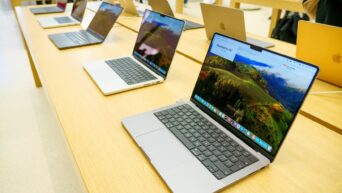
For years, Apple’s answer to touchscreen laptops was a firm NO. Steve Jobs called the idea “ergonomically terrible” back in 2010. But on October 28, 2026, at its “Pro and Tell” event in Los Angeles, Apple changed course with the MacBook Pro with PROLED XDR Display, a 14.2-inch and 16.3-inch laptop with a tandem OLED touchscreen.
We spent time with it at the event, and here is what stood out. Pre-orders are open now, and it will go on sale Friday, November 6.
The Display is the Headline
Open the lid and the panel grabs you first. Colors look saturated, blacks look pitch black, and at up to 2,000 nits of peak brightness, the screen was so bright we had to turn down our camera exposure just to film it.
However, the numbers need some context. The 2,000-nits figure refers to peak brightness, while full-screen brightness reaches up to 1,000 nits below 25°C, matching the non-touch MacBook Pro’s mini-LED display. The main improvements are higher peak brightness (up from 1,600 nits), deeper blacks, and a claimed 10,000,000:1 contrast ratio, compared to 1,000,000:1 on the mini-LED model.
A few more details about the display are:
- Adaptive 10Hz to 120Hz ProMotion refresh rate
- P3 color with Adobe RGB coverage added, which matters for print work
- An antireflective coating, plus an optional nano-texture finish ($150) etched into the cover glass
- A display calibrator and reference modes, including DICOM modes for non-diagnostic image review
The notch is gone too. A smaller Dynamic Island replaces it. Music appears there as a Live Activity you can tap to pause, and Spotlight and Siri AI use it as well, provided Siri AI is available and turned on. The menu bar looks cleaner as a result.
Touch Response is Smooth
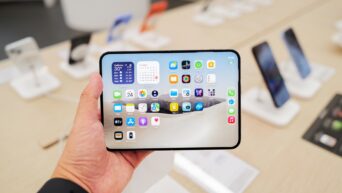
Touchscreen is the reason this laptop exists, so we spent most of our time there. It felt smooth and responsive. Pinch-to-zoom worked as expected. We dragged clips along a video timeline, spun a 3D model with a finger, played a virtual keyboard complete with chords, and drew with a fingertip without trouble. Apple built the touch sensor into the display panel instead of layering it on top, which it says reduces latency.
And the fun part? You can literally disable the display’s touch functionality and use it as a normal keyboard and touchpad laptop.
macOS has been adjusted for fingers, but it is still macOS. Tapping the close button made the window controls bigger and easier to use. We could hold the Move and Resize button to arrange windows, drag a window to the screen edge to snap it, double-tap to fill the screen, and swipe with three fingers to switch desktops. The keyboard and trackpad remained unchanged, with touch working as an additional way to interact with macOS rather than a replacement.
Many existing apps work with touch on day one because macOS translates touches into clicks. Apple says apps such as Notion, Canva, Zoom, the Microsoft Office apps, Lightroom, DaVinci Resolve, Blender, and Cinema 4D will add it, with the listed apps arriving later this year. Apple says its own apps are already optimized, so those are the safest bet at launch.
Still, there are some limits, such as:
- The screen does not fold back like a tablet.
- Apple Pencil is not supported, so drawing is finger-only.
- The hinge is stiffer to keep the display steady while you tap. It helps, but some wobble remains when you tap firmer.
- Fingerprints are an open question. Apple says the coating resists them, and the screen shouldn’t need more cleaning than a standard laptop display. We saw no marks in our short use, but a few minutes in a demo area says little about long-term use.
It is Lighter and Thinner, Yet Powerful
Pick one up and the weight difference is immediately noticeable. The 14-inch model weighs 3 pounds, half a pound less than the previous standard MacBook Pro. The 16-inch weighs 4 pounds, which is 0.7 pounds lighter. Apple credits OLED’s slimmer display for this weight reduction. The laptops are also thinner, by about half a millimeter for the 14-inch and nearly a millimeter for the 16-inch, and slimmer bezels stretch the screens to 14.2 and 16.3 inches.
Everything you rely on is still here, including the keyboard and trackpad, three Thunderbolt 5 ports, HDMI, an SDXC slot, MagSafe 3, a headphone jack, Wi-Fi 7, Bluetooth 6, and Touch ID. It also has a bit of flair. The glowing Apple logo is back, lighting up when you open the lid and dimming with the screen.
Apple also redesigned the six-speaker system for 50% deeper bass, and the 12MP Center Stage camera now stabilizes your video so taps on the screen do not shake you on a call. We will judge the sound properly once we have more time with it.
Performance and Battery: Promising Claims, Not Yet Tested
Inside are the M5 Pro (up to an 18-core CPU, 20-core GPU, and 64GB of memory) and the M5 Max (up to a 40-core GPU and 128GB of memory), with storage up to 16TB. These are the same chips as the current non-touch models. Apple launched the newer M6 chip this week in a non-touch 14-inch MacBook Pro instead.
Apple promises up to 24 hours of battery life, a 50% charge in 30 minutes, and a redesigned thermal system that holds the same sustained performance despite the lighter body while steering warm air away from the display. Those are Apple’s own test results, and the 24-hour figure was measured on a 16-inch M5 Pro so results will vary by model and use.
Price and Availability
Pre-orders are open now, and it will go on sale Friday, November 6.
- 14-inch, M5 Pro: from $2,899
- 16-inch, M5 Pro: from $3,399
- 14-inch, M5 Max: from $4,499
- 16-inch, M5 Max: from $4,799
- Nano-texture display: $150 extra
That is roughly $400 more than the equivalent non-touch 16-inch MacBook Pro with the same chips—a fully loaded 16-inch climbs to just under $15,000.
Early Verdict
The display upgrade and weight reduction are sure wins. Photographers, video editors, colorists, and designers who want a bright, color-accurate OLED in a laptop have the clearest reason to pre-order.
Touchscreen is the wild card. It worked well in our short time; you can disable the touch. Anyone buying mainly for raw performance should note that the premium pays for the display, touch, and lighter body rather than newer chips.
Our final verdict has to wait for battery tests, benchmarks, and weeks of real use. As first looks go, though, this one already has us counting down to November 6.