





























Credit: Shutterstock
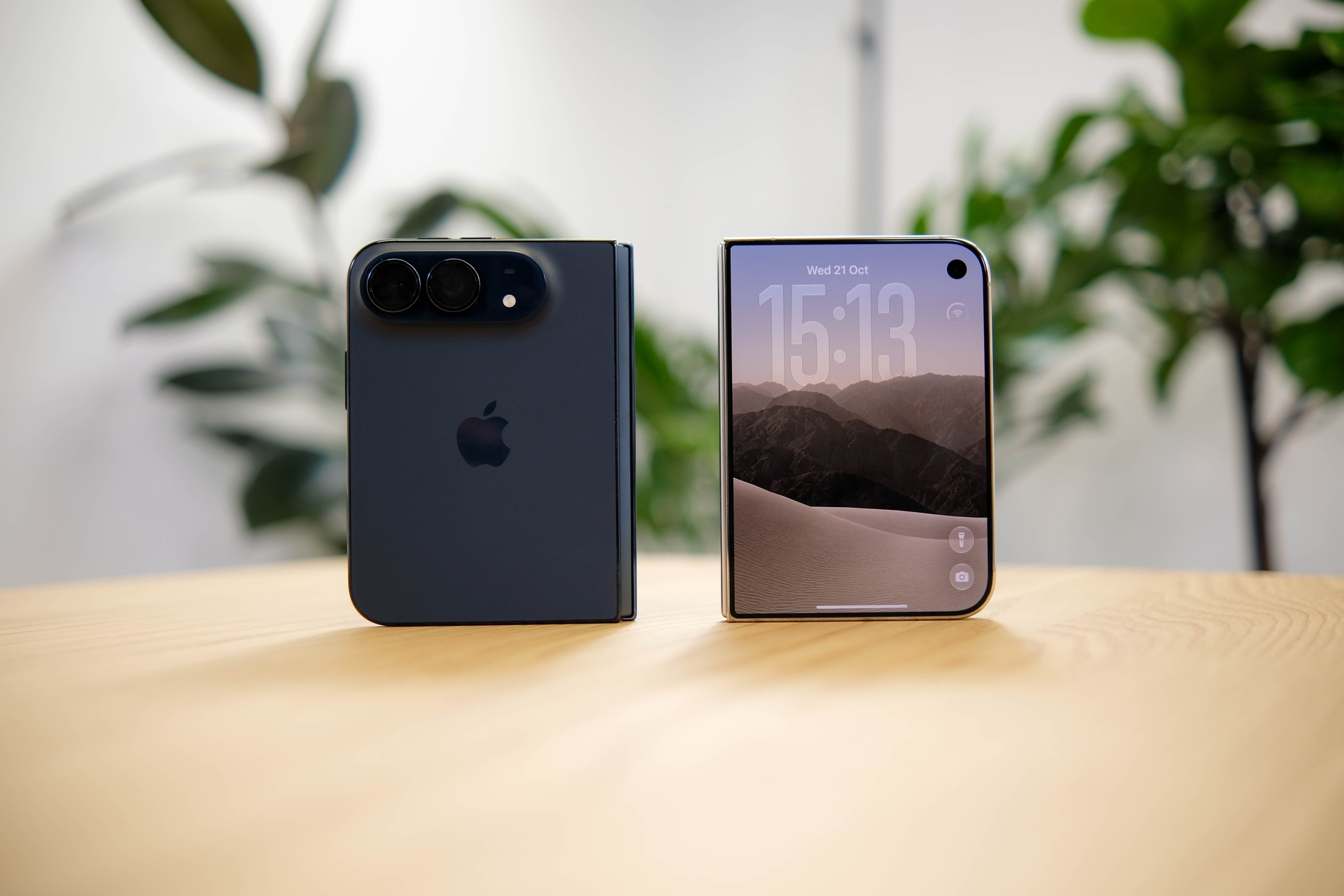
Apple is finally giving iPhone Duo owners the Face Unlock feature they’ve been missing.
The second beta of iOS 27.3 landed on November 16, 2026, and buried inside was the feature many iPhone Duo owners have been asking for since day one. Apple calls it “Unlock with Front Camera,” and while it is a meaningful addition, there is a lot to unpack before you get too excited.
Here is what you need to know.
The Feature Is in Beta, Not in Your Hands Yet
The option arrived in iOS 27.3 beta 2 on November 16 and is currently available only to developers. Apple might release iOS 27.3 to the public in December. So if you are using the standard version of iOS on your iPhone Duo right now, the feature has not reached you yet. That said, it is almost certain, and understanding how it works will help you decide whether to turn it on the moment it arrives.
Why the iPhone Duo Needed the Face Unlock
The iPhone Duo launched without Face ID because of hardware constraints in its foldable design. It lacks the TrueDepth camera system that powers Face ID on other iPhones, relying instead on a fingerprint sensor built into the side button. And its reliance on Touch ID is one of the top complaints from new Apple foldable owners.
For many iPhone users, pressing a side button to unlock a phone feels like a step backward, and it isn’t instilled in their muscle memory. After years of simply picking up an iPhone and looking at it to unlock, the Touch ID started to feel like friction.
What “Unlock with Front Camera” Actually Does
The option to unlock with facial recognition is only available on the lock screen, and authentication via Touch ID is still needed for Apple Pay purchases, adding passwords and logins, and more.
When enabled, the iPhone Duo unlocks after recognizing the owner’s face through the front camera on its outer screen. This only works when the phone is folded shut. Open the device, and you are back to Touch ID or your passcode.
Apple’s own description of the feature says: “Use the front camera, along with a recent Touch ID or passcode authentication, to quickly unlock iPhone Duo when it’s closed. Face recognition data never leaves your device.”
There is also a time-based limit to keep things secure. Unlocking with the camera requires a recent Touch ID or passcode authentication, and Touch ID is required again after about 45 minutes of inactivity. So if you leave your phone sitting untouched for a while and come back to it, you will need your fingerprint or passcode first before Unlock with Front Camera kicks in again.
Is It the Same as Face ID?
This question matters, and the answer is a NO.
Face ID uses Apple’s TrueDepth 3D sensing hardware, which includes a flood illuminator and a dot projector that casts over 30,000 invisible infrared dots onto the user’s face to build a unique 3D map. The system combines this map with attention-awareness checks, making it resistant to attempts to fool it with photos or other 2D images.
Unlock with Front Camera uses the standard front-facing camera on the cover display. That is a completely different technology. It doesn’t create a 3D map, and it doesn’t have the same depth-sensing layers that make Face ID so reliable. Apple isn’t going so far as to allow face unlock to work across the entire device, because the technology isn’t as secure as Face ID.
That’s why sensitive actions, including Apple Pay, saved passwords, and app logins, still require Touch ID. Apple is essentially treating this feature as a convenience layer for the lock screen, not as a full security system.
How to Turn It On
Once iOS 27.3 is out of beta and available on your device, enabling the feature takes just a few seconds. Here is how:
- Open Settings
- Tap Touch ID & Passcode
- Enter your passcode
- Toggle on Unlock with Front Camera
That is it. After setup, the phone will start recognizing your face on the outer screen whenever it’s closed.
Attention Aware Is Coming to iPhone Duo Too
One of the quieter but genuinely useful additions in iOS 27.3 is the arrival of Attention Aware features on the iPhone Duo. Because the Duo previously had no way to detect whether you were looking at the screen, it could not adapt its behavior based on your attention the way Face ID iPhones could.
With front camera face recognition now in place, that changes. Soon, when you look at your iPhone Duo during an alarm, a timer, or an incoming call, the device will detect your attention and automatically reduce the volume. The idea is simple: if you are already looking at the phone, it does not need to shout. This makes the Duo feel significantly more polished in day-to-day use, bringing it in line with how Face ID iPhones have behaved for years.
There Is a Bonus Feature Too: Fold to Lock
iOS 27.3 beta 2 also introduces a new “Close to Lock” option on the iPhone Duo, which locks the device when it is folded shut instead of transferring content to the cover screen.
This one might sound small, but it was a real pain point for early Duo users. The software update addresses a complaint by incorporating one of the “hacks” iPhone Duo early adopters were using to force their phone to lock when they shut it, which involved creating a shortcut that would automatically run when the phone was closed. Apple has now built that behavior directly into Settings, under Display and Brightness.
The Bottom Line
The iPhone Duo is getting meaningfully better through software. Face unlock addresses a friction point that reviewers and users raised from the moment the device shipped. It is not Face ID; it has clear limits, and it will not replace Touch ID for anything sensitive. But for quickly picking up your phone and getting in, it fills a real gap.
The public release of iOS 27.3 is expected in December 2026. Until then, the feature remains in developer beta and may change before it reaches everyone.