


















Credit: Shutterstock
Bluetooth trackers have become small enough to fit in a wallet and smart enough to guide you directly towards your lost keys.
If you have ever wasted time searching for your keys before rushing out the door, a Bluetooth tracker is the most useful gadget you should buy immediately. You can attach these tiny devices to your belongings and use your phone to trace them.
And you do not need to be extra technical to use one. Most trackers take only a few minutes to set up. However, the most important thing is to choose a tracker that works with the phone you already own.
How Bluetooth Trackers Work
A Bluetooth tracker does not use GPS. Instead, it broadcasts a short-range Bluetooth signal. When another device on the same network passes near it, that device quietly and anonymously relays the tracker’s location to the cloud. You then see that location in your app.
For close-range finding, the better trackers add Ultra Wideband, or UWB. This short-range radio technology does not just show you a dot on a map. It tells you which direction the item is and how far away it is, turning your phone into a compass. Moreover, some newer trackers pair UWB with Bluetooth Channel Sounding, which provides sub-meter accuracy on compatible devices.
Pick the Right Tracker for Your Phone
This is the most important decision you will make. Bluetooth trackers depend on a finding network made up of other users’ devices. Those networks do not talk to each other, so a tracker built for one ecosystem will not work well on another.
Here is how it breaks down by phone:
1. iPhone Users
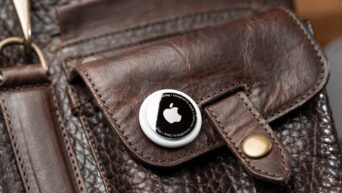
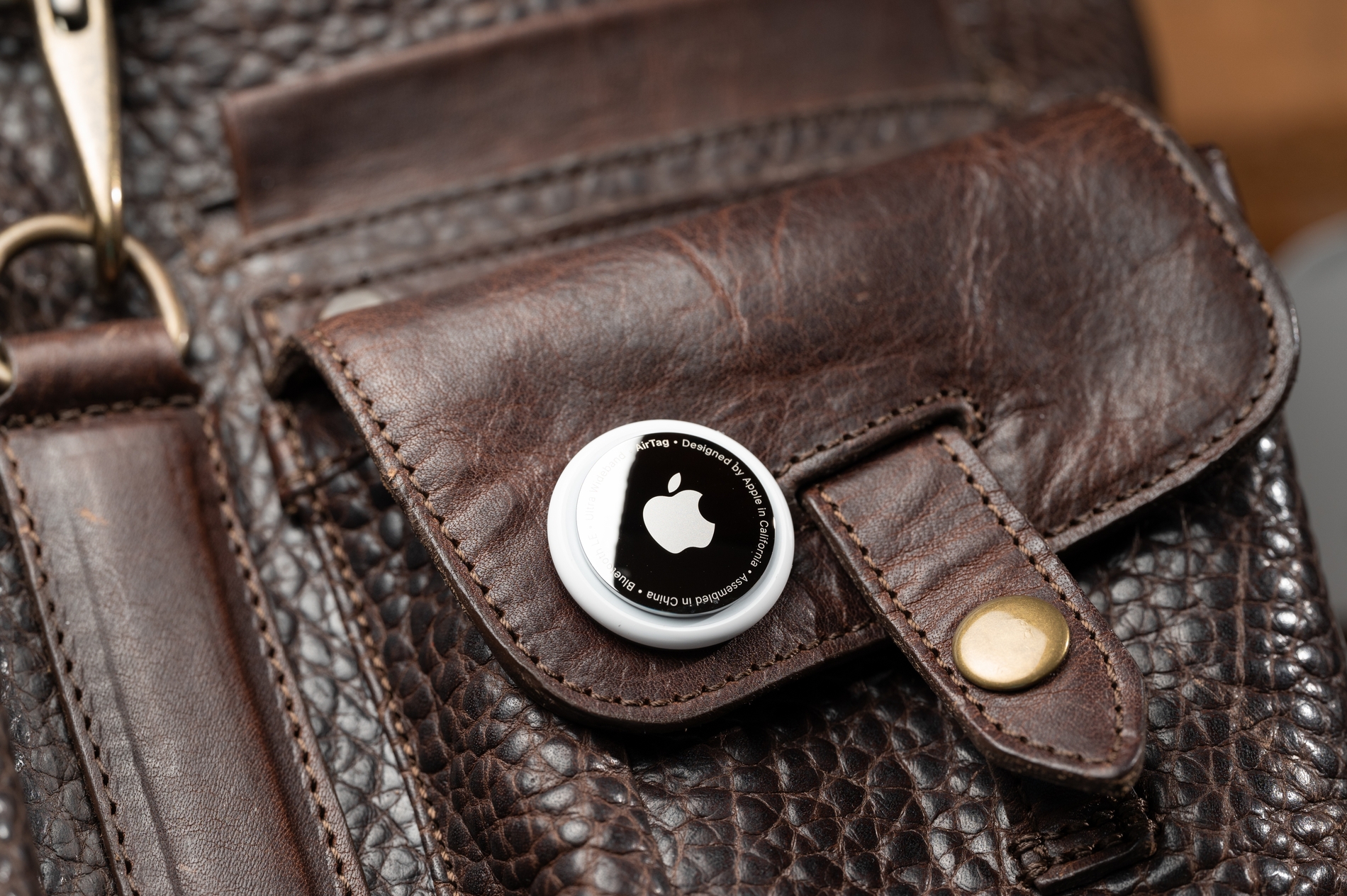
Get the Apple AirTag (2nd generation). It uses a second-generation UWB chip that extends Precision Finding to roughly 60 meters (about 200 feet). The built-in speaker is 50% louder than the first-generation model, and you can hear the chime from up to twice as far. A single tracker costs $29. However, Precision Finding on Apple Watch requires an Apple Watch Series 9 or later, or Apple Watch Ultra 2 or later.
2. Android Users
If you are a Pixel, Motorola, or other non-Samsung user, you should look at Google’s Find Hub network. Your best option may be the recently launched Google Pixel Tag. It combines UWB with Bluetooth Channel Sounding for precise directional finding. A single piece would cost $29, is powered by a standard CR2032 battery, and carries an IP67 water-resistance rating. The Motorola Moto Tag 2 is another solid option on the same network, also priced around $30 and supporting UWB.
3. Samsung Galaxy Owners
Galaxy phone users have their own dedicated option: the Samsung Galaxy SmartTag 2. It connects to Samsung’s finding network, and Samsung claims up to 700 days of battery life on a CR2032 cell. On UWB-equipped Galaxy phones, it offers Compass View, which gives you direction and distance to the tag, similar to Apple’s Precision Finding. The SmartTag 2 costs $25 to $30.
4. For Mixed Households
For a family with both iPhone and Android users, the Chipolo Pop and Pebblebee Clip 5 are compatible with both Apple Find My and Google Find Hub. The Chipolo Pop costs $29 and has a 120dB speaker with a replaceable battery. The Pebblebee Clip 5 costs $35, charges via USB-C, and lasts up to 12 months per charge.
How to Set Up Your Tracker
Setup is easy and simple across all major brands.
For AirTag on iPhone:
- Hold the AirTag close to your iPhone. A setup card will pop up on screen automatically.
- Tap Connect, give the item a name such as “Keys” or “Bag,” and confirm.
- The tag links to your Apple ID and appears in the Find My app.
For Pixel Tag, Moto Tag 2, Chipolo Pop, Pebblebee Clip 5:
- Open or download the Google Find Hub app.
- Enable Bluetooth and Location on your phone.
- Bring the tracker near your phone. It will appear in the app.
- Follow the prompts to name and save it.
For Samsung SmartTag 2:
- Open the SmartThings app on your Galaxy phone.
- Tap the plus button and select the SmartTag 2.
- Follow the on-screen steps to pair and name it.
What You Can Tag
Trackers add the most value when attached to items you carry every day or regularly leave behind. Common accessories include:
- Keys
- Wallets and purses
- Bags and backpacks
- Luggage when traveling
- Cameras and camera bags
- Bicycles and more
For more extensive tracking needs, such as pets, consider GPS-based options. Bluetooth trackers are designed for locating misplaced belongings, not live tracking.
Using Precision Finding
When an item appears on the map but you still cannot put your hands on it, switch to Precision Finding. On AirTag, it is called Precision Finding. On Samsung SmartTag, it is Compass View. On the Pixel Tag and Moto Tag 2, directional guidance appears directly in the Find Hub app.
Walk slowly and hold your phone in front of you. The arrows and distance readings update in real time as you move. Inside a room, walls and furniture can slightly affect accuracy, so try different angles if the guidance seems inconsistent.
Precision Finding only works within Bluetooth range. If your item is farther away, rely on the network map until you get closer.
Lost Mode
If your item is completely out of range, switch it to Lost Mode in the app. Any compatible device that passes near the tracker will silently and anonymously update its location. You will not see who helped, and they will not see your personal details.
AirTag also supports NFC tap for Lost Mode. If someone finds your item and taps their phone against the AirTag, your contact information can appear on their screen. This works even if they do not own an iPhone.
Keeping the Battery Fresh
Most trackers use a CR2032 coin cell battery, available at pharmacies and electronics stores. Under normal use, these batteries last about a year. Your app will send a notification when the level runs low.
To replace the battery:
- AirTag: Press and twist the stainless steel back counterclockwise to open.
- Pixel Tag and SmartTag 2: Twist the back cover.
- Chipolo Pop: Pry open the case along the edge seam.
The Pebblebee Clip 5 has a rechargeable internal battery. Connect it via USB-C before it drops too low.
What Bluetooth Trackers Cannot Do
It helps to know the limits before you rely on one.
Bluetooth trackers update location only when another network device passes nearby, so they don’t provide continuous real-time tracking. In low-traffic areas, updates can be infrequent or delayed.
They are also not built for high-value vehicle tracking or situations where you need live location at all times. For those cases, a dedicated cellular GPS tracker is the more appropriate tool.
The Bottom Line
Bluetooth trackers have matured into genuinely useful, affordable tools. The key to getting the most out of them is choosing the right tracker for your phone’s ecosystem, attaching it to items that matter, and knowing what to do when something goes missing. Once set up, they run quietly in the background and are there when you need them.