






















Credit: Shutterstock
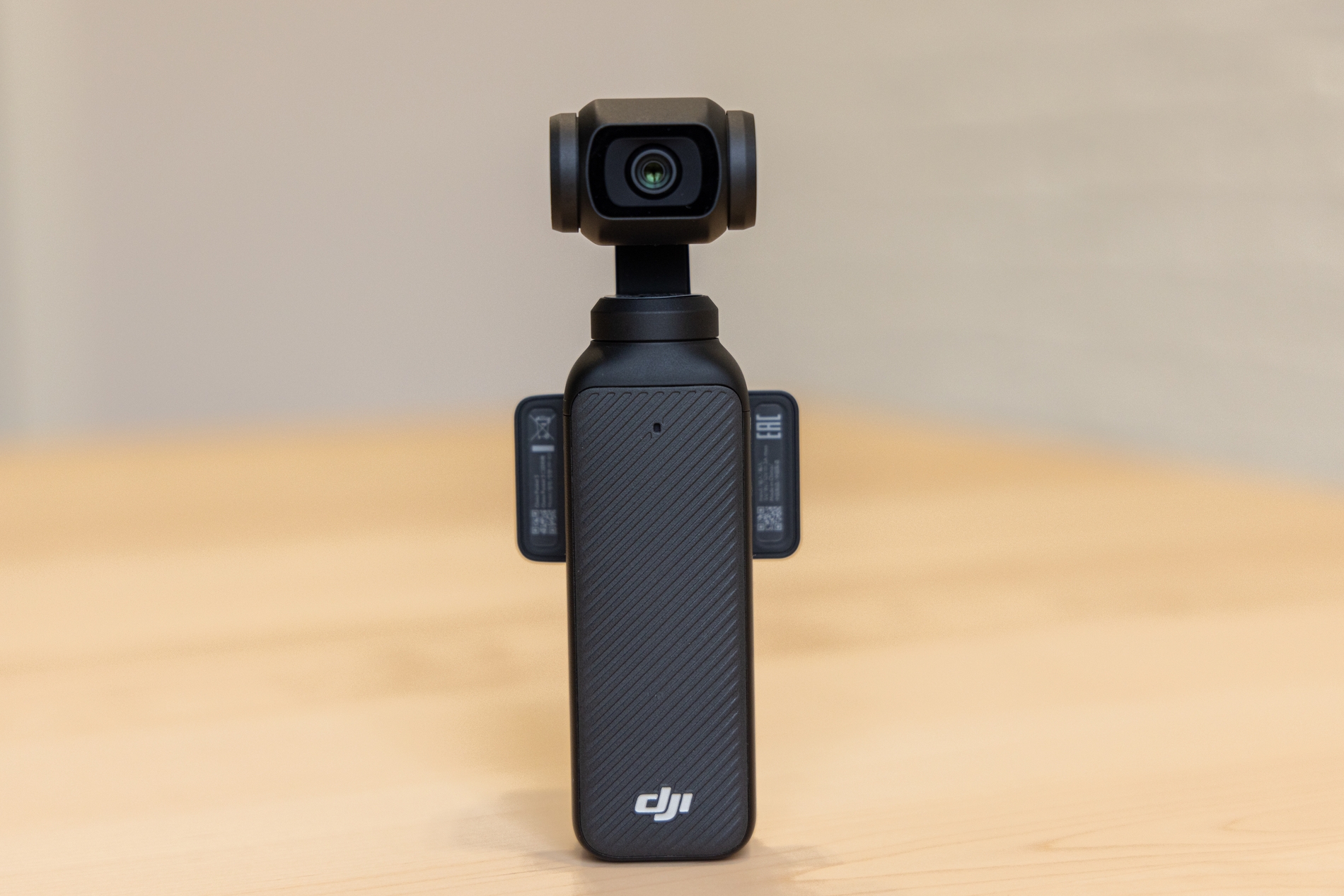
DJI didn’t need to make the Osmo Pocket 4. The Pocket 3 was already eating everyone else’s lunch. They made it anyway, and it is getting praised.
This camera isn’t officially available in the US yet. DJI has confirmed the Osmo Pocket 4 won’t be hitting US shelves until its FCC authorization clears. So I did what any tech-obsessed person would do. I called in a favor from a friend in Hong Kong and had him ship one over.
After using it for a few days, I have a lot to say. Let’s get into it.
Key Specs
| Feature | DJI Osmo Pocket 4 |
| Sensor | 1-inch CMOS |
| Aperture | f/2.0 |
| Focal Length | 20mm equivalent |
| Max Video Resolution | 4K/60fps (standard), 4K/240fps (slow-mo) |
| Dynamic Range | 14 stops |
| Internal Storage | 107GB |
| Battery | 1,545mAh |
| Screen | 2-inch rotating touchscreen |
| Weight | 6.7 oz |
| Dimensions | 5.6 x 1.7 x 1.3 inches |
| Color Profiles | D-Log Pro, Film Tones (6 presets) |
| Water Resistance | None |
View this post on Instagram
What’s New
Let me save you some time. Here are the upgrades.
1. The Sensor Upgrade
Same 1-inch CMOS form factor as the Pocket 3, but it’s a new generation chip. DJI claims it now delivers 14 stops of dynamic range, up from 12. I genuinely noticed it in shooting. I was filming at a rooftop café on an afternoon. Half the scene was in harsh direct sunlight, the other half was in shadow from an awning. The Pocket 4 held both ends of the range noticeably better.
2. 4K at 240fps
The Pocket 3 maxed out at 4K/120fps for slow motion. The Pocket 4 doubles that to 4K/240fps, giving you up to 10x slow-motion. I used this to film water splashing out of a glass, and the result was genuinely cinematic. This is a massive upgrade.
3. D-Log Pro Replaces D-Log M
D-Log Pro on the Pocket 4 is the real deal. A proper log gamma curve that captures significantly more tonal information, giving you much greater flexibility in color grading. If you edit your own footage and care about final output quality, you’ll appreciate this.
4. Film Tones
DJI has added six in-camera Film Tone presets like Warm, Retro, and Movie. They’re fine. The Retro and one called Vivid in particular can be aggressive if you’re not careful. Warm and Movie are the most usable for everyday content. But I wouldn’t put these in the same league as Fujifilm’s film simulations in terms of sophistication.
5. 107GB Internal Storage
The Pocket 4 has 107GB of built-in storage, up from zero on the Pocket 3, which required a microSD card to function. There’s still a microSD slot if you want to expand further. I cannot overstate how much I love this. I once showed up to a full day of filming a friend’s product launch with Pocket 3 and realized my microSD card was left in my laptop at home. The Pocket 4 would have saved that day entirely.
6. Battery Life
The battery has grown from 1,300mAh to 1,545mAh, about an 18% increase. DJI quotes up to 240 minutes of shooting, but that’s at 1080p under ideal conditions. In my testing at 4K/60fps and 4K/30fps, I was getting around 140–160 minutes of battery time.
Fast charging is new, too. DJI says it’ll go from 0% to 80% in 18 minutes. I timed it at roughly 20 minutes in my tests. Close enough and genuinely useful.
Design: If It Ain’t Broke…
Hold a Pocket 3 in one hand and a Pocket 4 in the other. You’ll barely notice a difference. DJI has kept the same core design. It has the same compact body, a 2-inch rotating touchscreen, and a 3-axis mechanical gimbal. It’s marginally taller, but you’d need to line them up side by side to notice.
The build quality is, as always, excellent. What is new are two physical buttons below the screen. One is a dedicated zoom button. The other is a fully customizable button you can assign up to three different functions to via single, double, and triple presses. I customized mine so a single press recenters the gimbal, a double press switches to my preferred 4K/60fps preset, and a triple press locks the gimbal horizon. This is an amazing addition.
There’s also a magnetic pogo pin connector on the back of the gimbal where accessories like the new clip-on fill light attach.
One thing I’ll flag right away: still no dust or water protection. Given how much this camera gets used outdoors, that remains a frustrating omission.
Video Quality
The footage from this camera looks great.
Colors are natural and well-balanced in DJI’s default color profile. Skin tones in particular look good, which matters enormously for vloggers. The f/2.0 aperture gave me a subtle and pleasing depth-of-field effect on close subjects.
The 2x lossless zoom works as advertised. I was skeptical, but at 2x the image holds up well with no obvious degradation. The 4x zoom in 4K, however, is a different story. I noticed the image soften, and some digital artifacts crept in.
Slow motion at 4K/240fps is stunning. With extended shutter speeds, I filmed traffic light trails at night and got genuinely dramatic results. But be warned: anything else in the frame gets blown out fast. Use this one intentionally and sparingly.
Portrait mode remains capped at 3K. For reels creators, who are a lot of you, that’s a legitimate drawback. The Pocket 3 had the same limitation, so it’s not a regression, but it’s a missed opportunity.
Stabilization
The 3-axis mechanical gimbal remains the Pocket line’s biggest weapon over action cameras and phones. And it’s still phenomenal.
Walking shots look like they were filmed on a dolly. I did a full run across a parking lot while filming myself, and the footage came out smooth enough to use without any additional stabilization in post.
But you still can’t assign gimbal mode switching to the new customizable button. You can assign gimbal recentering and gimbal lock, but not the actual mode toggle between Follow and Tilt Lock.
Autofocus
The Pocket 4 uses Dynamic Active Tracking. It prioritizes faces, then wider subjects. It works well for solo vlogging. My face stayed in focus consistently throughout every talking-to-camera clip I filmed.
It has the Spotlight Follow mode, which lets you lock onto a specific subject in a crowded frame, which is useful at events. On the other hand, Dynamic Framing gives you manual focus point control from nine central positions.
In practice, I left it in the default automatic mode 90% of the time and had no errors. There were a couple of brief hunting moments in low-light transitions, but nothing that ruined a shot.
Audio/Mic Quality
Built-in microphone audio is decent for casual use. Vocal Boost mode, found in the Pro settings, does a good job of cutting background noise and enhancing voice clarity. I tested it at a busy street market, and it made a noticeable difference.
Audio Zoom is another mode, which boosts the audio of whoever you’re zoomed in on. It’s a nice concept. However, the performance is inconsistent. Amplifying low-quality source audio just gives you louder low-quality audio. So it is not a replacement for a proper microphone.
The App: DJI Mimo
The DJI Mimo app handles everything from device setup and firmware updates to live camera control and editing. It’s come a long way. The editing suite is genuinely capable for mobile. I put together a 90-second travel reel in about an hour, cutting clips, adding transitions, and syncing music, all on my phone. For quick turnaround content, it works.
Connectivity via Wi-Fi can be finicky. I had a few moments where the app took longer than expected to re-establish connection after switching between tasks on my phone. Not a dealbreaker, but worth knowing.
Should You Buy It?
Overall Score: 8.5 / 10
Here’s my verdict:
If you own a Pocket 3, don’t rush. The upgrades are meaningful on the Pocket 4. But they won’t transform your content overnight. Wait for the Pocket 4 to drop in price, or wait until your Pocket 3 gives up the ghost.
If you’re on a Pocket 2 or older, upgrade immediately. Osmo Pocket 4 is in a completely different league. And if you’re a first-time buyer looking for a vlogging camera, it is the best all-in-one option available right now. Nothing else at this size and price point combines stabilization, image quality, and ease of use the way this does.